

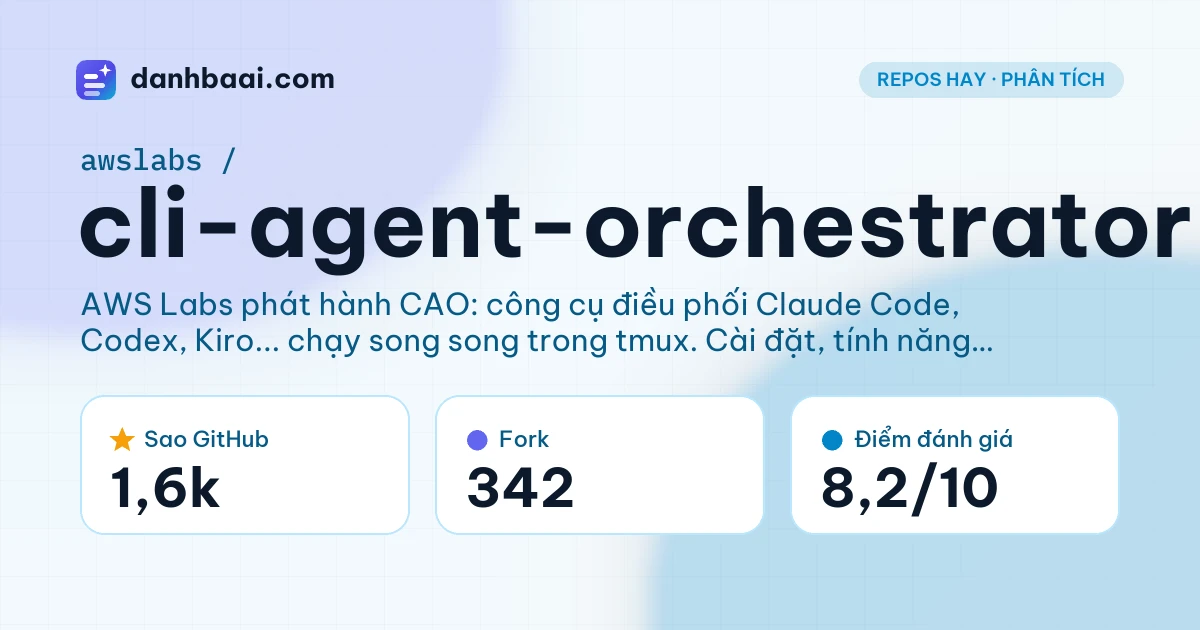
Khi số lượng AI coding assistant bùng nổ — Claude Code, Codex, Kiro, Cursor, Copilot CLI… — nảy sinh bài toán: làm sao dùng chúng cùng lúc, phối hợp nhau được? Mỗi tool có điểm mạnh riêng, nhưng chạy riêng lẻ thì tốn công chuyển context, dễ mất kiểm soát.
CLI Agent Orchestrator (CAO) từ AWS Labs ra đời để giải quyết chính bài toán đó. Nó khởi động một cao-server local, spin up từng provider CLI trong session tmux hoàn toàn tách biệt, và cấp cho một supervisor agent bộ công cụ điều phối: giao nhiệm vụ, theo dõi log, can thiệp khi cần. Kết quả: bạn có một “đội ngũ” AI chuyên biệt làm việc song song trên cùng một codebase, vẫn giữ nguyên auth và khả năng native của từng CLI.
CLI Agent Orchestrator (CAO) của AWS Labs cho phép điều phối nhiều AI coding CLI (Claude Code, Codex, Kiro, v.v.) chạy song song trong các session tmux tách biệt. Supervisor agent phân chia công việc, theo dõi tiến độ qua Web UI hoặc CLI. Phù hợp cho team/dev muốn tự động hóa quy trình phức tạp đa agent mà không bị vendor lock-in.
Thông tin tổng quan
| Repo | awslabs/cli-agent-orchestrator |
|---|---|
| Stars / Forks | ⭐ 1,619 / 342 |
| Ngôn ngữ | Python (88%), TypeScript (6%), Rust (5%) |
| License | Apache-2.0 |
| Contributors | 97 |
| Release mới nhất | v2.5.3 |
| Cập nhật cuối | 22/11/2026 |
| Website | https://awslabs.github.io/cli-agent-orchestrator/ |
cli-agent-orchestrator là gì?
CLI Agent Orchestrator (CAO) là framework điều phối (orchestration) chạy cục bộ, viết bằng Python, cho phép một supervisor agent quản lý nhiều worker agent — mỗi worker là một tiến trình CLI AI coding đầy đủ (Claude Code, Codex, Kiro, Antigravity, Hermes, Kimi, Qwen, MiniMax, Copilot CLI, OpenCode, OMP, Cursor, Grok Build…).
Khác với các framework agent abstraction (như LangGraph, AutoGen) thường chạy trong-process và giả lập tool-use, CAO không thay thế hay bọc gói các CLI. Nó dùng tmux để cô lập từng agent trong terminal riêng, giữ nguyên authentication (API key, OAuth), hệ thống tool native, và behavior đặc thù của từng provider. Supervisor giao tiếp qua control-plane (Web UI tại localhost:9889, CLI cao, MCP server, hoặc TUI) và có thể can thiệp real-time vào bất kỳ session nào.
Dự án bắt đầu tháng 7/2025, hiện tại v2.5.3 (tháng 10/2026), Apache-2.0, ~1.6k stars, 97 contributors. Tài liệu khá đầy đủ tại docs site (Docusaurus), có hướng dẫn từng provider, Web UI, flows/workflows, skills, memory, self-learning, và cả ví dụ robotics/Kubernetes.
Tính năng chính
- Multi-provider native — Hỗ trợ 13+ CLI AI coding (Claude Code, Codex, Kiro, Antigravity, Hermes, Kimi, Qwen, MiniMax, Copilot CLI, OpenCode, OMP, Cursor, Grok Build). Mỗi provider có doc riêng về cài đặt, auth, hành vi.
- Cô lập bằng tmux — Mỗi agent chạy trong session tmux tách biệt, không chia sẻ state, tránh xung đột env/auth. Supervisor attach/detach tự do.
- Supervisor có tool điều phối — Supervisor nhận tool: spawn worker, assign task, read stream, send keystroke, shutdown, list sessions. Có thể chạy tự động (auto) hoặc interactive.
- Control-plane đa dạng — Web UI (React, port 9889), CLI
cao, MCP server (cho IDE/agent khác gọi), TUI (terminal UI), Kiro Crew dashboard integration. - Flows & Workflows — Flows: scheduled runs (cron-like). Workflows: multi-step pipelines có điều kiện, loop, parallel branches. Dùng YAML/JSON định nghĩa.
- Skills system — Gói hướng dẫn tái sử dụng (markdown + metadata), có version, scope (global/project/session), install từ marketplace hoặc local. Ví dụ: code-review, test-gen, refactor…
- Memory & Self-learning — Cross-session persistent memory (vector store local). Self-learning opt-in: kết quả workflow → lessons → promoted instructions cho lần sau.
- Ephemeral agents — Worker có thể spawn helper agent đơn dùng (single-use) cho subtask, tự shutdown xong. Gated by decider agent.
- Agent Plugins (gated) — Plugin system 1.0.0 (portable packages), install từ marketplace (awslabs/cli-agent-orchestrator). Mặc định tắt (
CAO_AGENT_PLUGINS_ENABLED). - Kubernetes deployment — Example EKS: supervisor + worker fleet, shared workspace (EFS), per-pod state, credential delivery qua IRSA.
Yêu cầu phần cứng & hệ thống
| Thành phần | Yêu cầu |
|---|---|
| OS | Linux, macOS, Windows (WSL2 khuyến nghị). tmux 3.3+ bắt buộc. |
| Python | Python 3.11+ (bắt buộc per README). uv để cài tool. |
| RAM | Tối thiểu 8 GB (ước tính). Mỗi agent CLI + tmux session ~200-500 MB; 4-5 agent song song cần 4-6 GB thêm. |
| CPU | 2+ cores (ước tính). Agent CLI chủ yếu I/O-bound (gọi API), nhưng tmux + server + Web UI cần headroom. |
| GPU/VRAM | Không bắt buộc (ước tính). Chỉ cần nếu chạy local decision model (JevK5-4B) hoặc local LLM provider. |
| Ổ cứng | ~2 GB free (ước tính) cho repo, uv cache, vector memory, logs, tmux scrollback. |
| Phần mềm nền | tmux 3.3+, uv (Astral), Git. Provider CLI tương ứng đã cài & auth sẵn. |
Cách cài đặt và sử dụng
Cài đặt nhanh nhất qua uv tool (khuyên dùng):
# Cài main branch (mới nhất)
uv tool install git+https://github.com/awslabs/cli-agent-orchestrator.git@main --upgrade
cao --help

# Hoặc cài release ổn định từ PyPI
uv tool install cli-agent-orchestrator
Yêu cầu trước đó: python3.11+, tmux 3.3+, uv (curl -LsSf https://astral.sh/uv/install.sh | sh), và ít nhất một provider CLI đã cài & auth (xem Kiro, Claude Code, Codex, v.v.).
Khởi chạy lần đầu (mặc định provider Kiro):
# 1. Cài supervisor profile built-in
cao install code_supervisor

# 2. Terminal A: start server (giữ chạy)
cao-server

# 3. Terminal B: vào project, launch supervisor
cd /path/to/your/project
cao launch --agents code_supervisor

# 4. Mở Web UI: http://localhost:9889
# 5. Dừng session khi xong
cao shutdown --session <session-name>
# Hoặc dừng tất cả
cao shutdown --all
Cập nhật: cao update (xem Updating CAO). Container: dùng devcontainer feature.
Phù hợp với ai?
NÊN dùng khi:
- Dev/team đã quen nhiều CLI AI và muốn phối hợp chúng cho task phức tạp (refactor lớn, multi-repo, AI-DLC pipeline).
- Cần chạy agent song song, theo dõi real-time, can thiệp thủ công khi cần (human-in-the-loop).
- Muốn tránh vendor lock-in: dùng điểm mạnh của từng provider (Claude Code cho reasoning, Codex cho codegen, Kiro cho spec-driven…).
- Sẵn sàng invest thời gian học orchestration (flows, skills, memory) để tự động hóa lặp lại.
- Cần deploy fleet agent lên K8s/EKS cho CI/CD hoặc internal platform.
KHÔNG nên dùng khi:
- Chỉ dùng 1 AI CLI đơn lẻ — overhead cài tmux, server, supervisor không đáng.
- Người mới hoàn toàn chưa biết terminal, tmux, Python env, auth CLI — learning curve dốc.
- Cần managed SaaS (không muốn lo infra, auth, update) — CAO hoàn toàn self-hosted local.
- Windows không WSL2 — tmux support hạn chế, nhiều edge case.
Ứng dụng thực tế
- Parallel feature development: Supervisor chia 3 feature branch cho 3 worker (Claude Code, Codex, Kiro) cùng lúc, merge sau khi review qua Web UI.
- AI-DLC pipeline cross-repo: Coordinator điều phối intent (spec → code → test → doc → PR) qua nhiều repo, dùng worktrees tách biệt, skills tái sử dụng cho từng stage.
- Automated code review nightly: Flow cron hàng đêm spawn ephemeral agents review PR mới, dùng skill “security-audit” + “performance-check”, đăng comment qua GitHub CLI.
- Robotics simulation fleet: Supervisor + 3 team-manager điều phối 9 robot sim (make/assemble/ship), cân bằng bottleneck, log custody handoff — ví dụ
examples/robotics/hierarchical-factory. - Self-hosted decision model: Chạy JevK5-4B local (hoặc trên AWS CDK) làm system-one API cho supervisor routing, không gọi external LLM — ví dụ
examples/decision-model-host.
Các repo tương tự đáng chú ý
Gợi ý để so sánh: Các dự án dưới đây cùng chủ đề và nằm trong nhóm có lượng stars nổi bật trên GitHub.
- anthropics/claude-code ⭐ 156,565 stars · TypeScriptClaude Code is an agentic coding tool that lives in your terminal, understands your codebase, and helps you code faster by executing routine tasks, explaining complex code, and handling git workflows – all through natural language commands.
- openai/codex ⭐ 136,057 stars · RustLightweight coding agent that runs in your terminal
- stablyai/orca ⭐ 131,928 stars · TypeScriptOrca lets you run a fleet of bots with your own subscription (e.g. Claude Code, Grok, Agy, Codex). Available on desktop, mobile and remote runtime.
- google-gemini/gemini-cli ⭐ 108,975 stars · TypeScriptAn open-source AI agent that brings the power of Gemini directly into your terminal.
- github/copilot-cli ⭐ 11,445 stars · PythonGitHub Copilot CLI brings the power of Copilot coding agent directly to your terminal.
Đánh giá của danhbaai.com
Điểm mạnh cốt lõi: CAO không cố gắng “viết lại” các AI CLI — nó tôn trọng sự khác biệt của từng provider. Tmux isolation là architectural decision đúng đắn: auth, env, tool native, stream output… mọi thứ giữ nguyên. Supervisor toolset đủ mạnh cho auto + interactive. Web UI đẹp, real-time, có PTY streaming. Tài liệu cực tốt (Docusaurus, bilingual EN/ZH, interactive courses). Cộng đồng active (97 contributors, release ~hàng tuần). Apache-2.0 cho tự do thương mại.
Điểm yếu thực tế: Setup phức tạp — cần cài Python, uv, tmux, 1+ provider CLI, auth từng cái. Windows non-WSL2 đau đầu. Resource usage cao khi chạy nhiều agent (mỗi agent = 1 process CLI + tmux pane). Ephemeral agents & plugin system còn gated/experimental. Self-learning & memory cần tuning vector store local (chưa có managed option). Debug multi-agent race condition không hề dễ.
So sánh nhanh: LangGraph/AutoGen — abstraction level cao hơn, chạy in-process, phù hợp build custom agent app; CAO — lower-level, orchestrate existing CLI, phù hợp dev/team dùng tool sẵn. OpenHands/SWE-agent — focused trên SWE-bench, single agent loop; CAO — multi-agent, general coding tasks. Kubernetes operator — CAO có example EKS nhưng chưa phải operator mature.
Kết luận: Nếu bạn là power user/team đã dùng nhiều AI CLI và cảm thấy đau khổ khi chuyển context thủ công — CAO值得 đầu tư học. Nó biến “nhiều tool rời rạc” thành “hệ thống điều phối”. Còn nếu chỉ dùng 1-2 CLI nhẹ nhàng — hãy ở nguyên chỗ, đừng over-engineer.
- Đa provider thực sự (13+ CLI), không vendor lock-in
- Tmux isolation giữ nguyên auth & capability native của từng CLI
- Supervisor toolset đầy đủ: spawn, assign, stream, intervene, shutdown
- Control-plane đa dạng: Web UI, CLI, MCP, TUI, Kiro Crew
- Tài liệu xuất sắc: bilingual, interactive courses, examples phong phú
- Cộng đồng sôi động: 97 contributors, release tuần, Apache-2.0
- Setup phức tạp, dependency nhiều (Python, uv, tmux, provider CLIs)
- Resource heavy khi chạy nhiều agent song song (RAM/CPU)
- Windows non-WSL2 support yếu, edge case nhiều
- Ephemeral agents & plugin system còn experimental/gated
- Debug multi-agent race condition khó, observability còn cơ bản
- Self-hosted hoàn toàn — không có managed SaaS option
Câu hỏi thường gặp
CAO có thay thế được Claude Code/Codex/Kiro không?
Tại sao dùng tmux thay vì subprocess/pty trực tiếp?
Có chạy được trên Windows không?
Web UI có bảo mật không? Ai truy cập được?
Skills khác Flows/Workflows như thế nào?
Self-learning lưu dữ liệu ở đâu? Có private không?
CLI Agent Orchestrator (CAO) của AWS Labs cho phép điều phối nhiều AI coding CLI (Claude Code, Codex, Kiro, v.v.) chạy song song trong các session tmux tách biệt. Supervisor agent phân chia công việc, theo dõi tiến độ qua Web UI hoặc CLI. Phù hợp cho team/dev muốn tự động hóa quy trình phức tạp đa agent mà không…
Nguồn: github.com/awslabs/cli-agent-orchestrator — Bài phân tích bởi danhbaai.com.